 DayPilot
Release date: June 11, 2014 (build 7.8.5681)
Drag and Drop Event Moving Indicator (Scheduler)
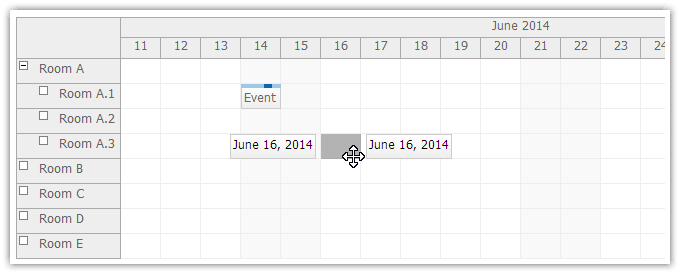
@Html.DayPilotScheduler("dps", new DayPilotSchedulerConfig {
  BackendUrl = Url.Action("Backend", "Scheduler"),
  // ...
  EventMovingStartEndEnabled = true,
  EventMovingStartEndFormat = "MMMM d, yyyy"
})
Demo
Drag and Drop Event Resizing Indicator (Scheduler)
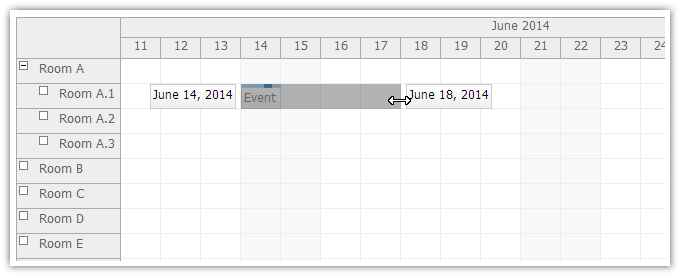
@Html.DayPilotScheduler("dps", new DayPilotSchedulerConfig {
  BackendUrl = Url.Action("Backend", "Scheduler"),
  // ...
  EventResizingStartEndEnabled = true,
  EventResizingStartEndFormat = "MMMM d, yyyy"
})
Demo
Drag and Drop Event Creating Indicator (Scheduler)
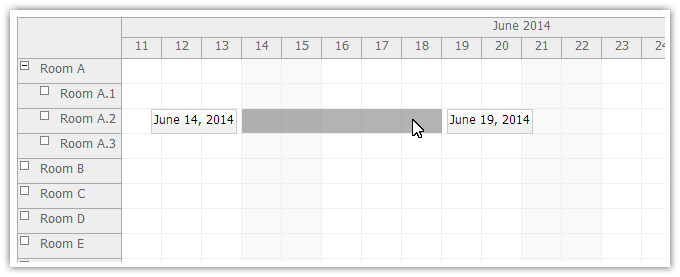
@Html.DayPilotScheduler("dps", new DayPilotSchedulerConfig {
  BackendUrl = Url.Action("Backend", "Scheduler"),
  // ...
  TimeRangeSelectingStartEndEnabled = true,
  TimeRangeSelectingStartEndFormat = "MMMM d, yyyy"
})
Demo
Event Deleting (Scheduler)
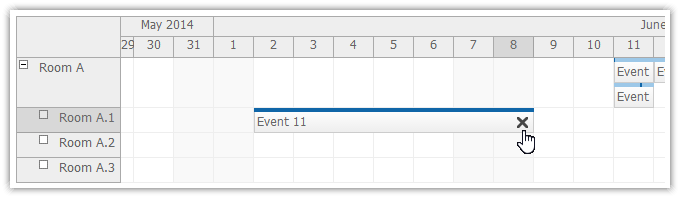
MVC View
@Html.DayPilotScheduler("dps", new DayPilotSchedulerConfig {
  BackendUrl = Url.Action("Backend", "Scheduler"),
  // ...
  EventDeleteHandling = EventDeleteHandlingType.CallBack
})
MVC Controller
protected override void OnEventDelete(EventDeleteArgs e)
{
  new EventManager(Controller).EventDelete(e.Id);
  Update();
}
Demo:
Event Deleting (Event Calendar)
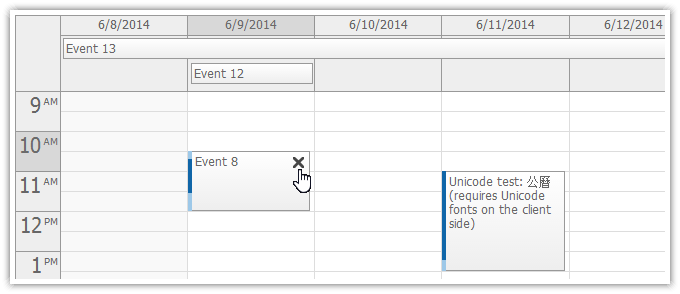
MVC View
@Html.DayPilotCalendar("dpc", new DayPilotCalendarConfig
{
  BackendUrl = Url.Action("Backend", "Calendar"),
  // ...
  EventDeleteHandling = EventDeleteHandlingType.CallBack
})
MVC Controller
protected override void OnEventDelete(EventDeleteArgs e)
{
  new EventManager(Controller).EventDelete(e.Id);
  Update();
}
Demo:
Event Deleting (Monthly Event Calendar)
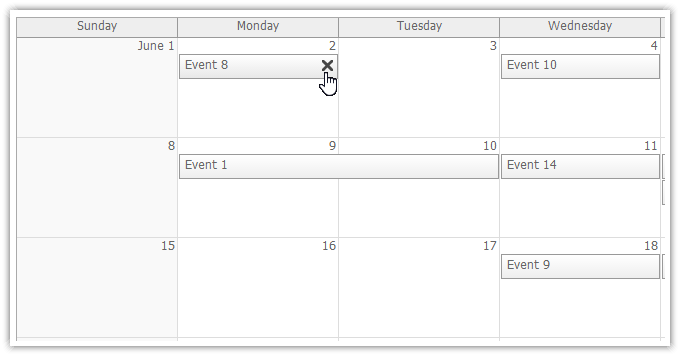
MVC View
@(Html.DayPilotMonth("dpm", new DayPilotMonthConfig {
    BackendUrl = Url.Action("Backend", "Month"),
    // ...
    EventDeleteHandling = EventDeleteHandlingType.CallBack
}))
MVC Controller
protected override void OnEventDelete(EventDeleteArgs e)
{
  new EventManager(Controller).EventDelete(e.Id);
  Update();
}
Demo:
Row Double Click (Scheduler)
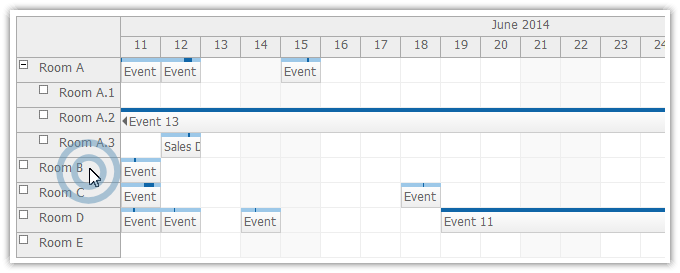
MVC View
@Html.DayPilotScheduler("dps", new DayPilotSchedulerConfig {
  BackendUrl = Url.Action("Backend", "Scheduler"),
  // ...
  RowDoubleClickHandling = RowClickHandlingType.Edit
})
Inline Row Editing (Scheduler)
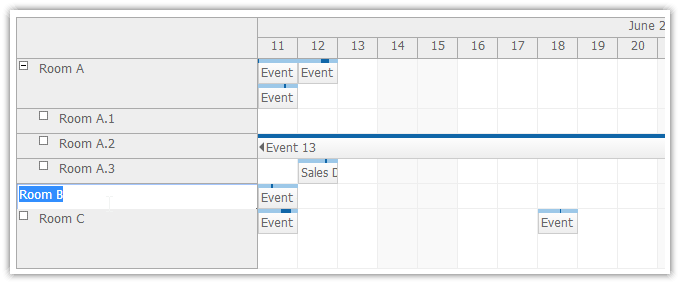
MVC View
@Html.DayPilotScheduler("dps", new DayPilotSchedulerConfig {
  BackendUrl = Url.Action("Backend", "Scheduler"),
  // ...
  RowClickHandling = RowClickHandlingType.Edit,
  RowEditHandling = RowEditHandlingType.CallBack
})
MVC Controller
protected override void OnRowEdit(RowEditArgs e)
{
  e.Resource.Name = e.NewText;
  Update(CallBackUpdateType.Full);
}
Demo
Row Selecting (Scheduler)
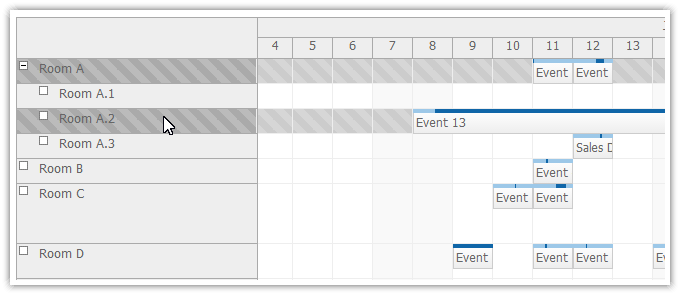
MVC View
@Html.DayPilotScheduler("dps", new DayPilotSchedulerConfig {
  BackendUrl = Url.Action("Backend", "Scheduler"),
  // ...
  RowClickHandling = RowClickHandlingType.Select,
  RowSelectHandling = RowSelectHandlingType.CallBack
})
MVC Controller
protected override void OnRowSelect(RowSelectArgs e)
{
  UpdateWithMessage("Number of selected rows: " + SelectedRows.Count);
}
Demo
Windows 8 Touch Support (Calendar)
Windows 8 touch devices are supported in DayPilot Calendar.
Touch Gesture Customization (Calendar)
You can customize "tap and hold" touch gesture handling using new properties: EventTapAndHoldHandling and TimeRangeTapAndHoldHandling.
EventTapAndHoldHandling options:
- Move (default)
- ContextMenu
TimeRangeTapAndHoldHandling options:
- Select (default)
- ContextMenu
External Drag and Drop on Touch Devices (Calendar)
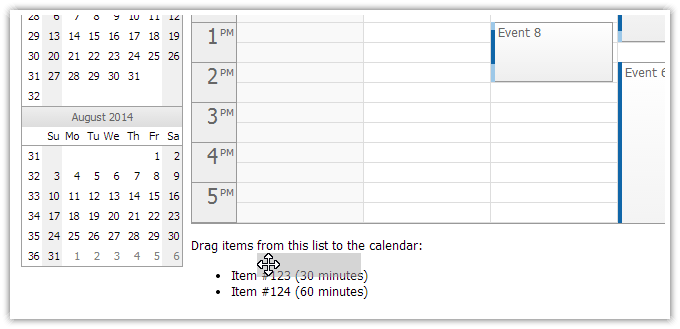
Example
<p>Drag items from this list to the calendar:</p>
<ul id="external">
  <li data-id="123" data-duration="1800"><span style="cursor:move">Item #123 (30 minutes)</span></li>
  <li data-id="124" data-duration="3600"><span style="cursor:move">Item #124 (60 minutes)</span></li>
</ul>

<script type="text/javascript">
  var parent = document.getElementById("external");
  var items = parent.getElementsByTagName("li");
  for (var i = 0; i < items.length; i++) {
      var e = items[i];
      var item = {
          element: e,
          id: e.getAttribute("data-id"),
          text: e.innerText,
          duration: e.getAttribute("data-duration")
      };
      DayPilot.Calendar.makeDraggable(item);
  }
</script>
Demo
External Drag and Drop on Touch Devices (Scheduler)
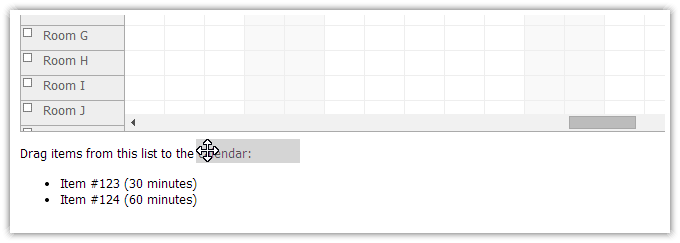
Example
<p>Drag items from this list to the scheduler:</p>
<ul id="external">
  <li data-id="123" data-duration="1800"><span style="cursor:move">Item #123 (30 minutes)</span></li>
  <li data-id="124" data-duration="3600"><span style="cursor:move">Item #124 (60 minutes)</span></li>
</ul>

<script type="text/javascript">
    var parent = document.getElementById("external");
    var items = parent.getElementsByTagName("li");
    for (var i = 0; i < items.length; i++) {
        var e = items[i];
        var item = {
            element: e,
            id: e.getAttribute("data-id"),
            text: e.innerText,
            duration: e.getAttribute("data-duration")
        };
        DayPilot.Scheduler.makeDraggable(item);
    }
</script>
Demo
Improvements
- [Scheduler] Scheduler: Event drag and drop indicators. (build 5665)
- Strongly signed assemblies. (build 5667)
- [Calendar] "Move" active area action supported on touch devices. (build 5667)
- [Scheduler] Recurrence properties added to EventResizeArgs, EventMoveArgs (build 5673)
- [Month] Recurrence properties added to EventResizeArgs, EventMoveArgs (build 5673)
- [Calendar] Recurrence properties added to EventResizeArgs, EventMoveArgs (build 5673)
- [Scheduler] Scheduler: Fixing event display after auto cell width update. (build 5677)
Fixes
- [Scheduler] Rendering of zero-duration events starting and ending at cell start fixed. (build 5670)
- [Scheduler] External drag and drop fixed (dragging over resource or time header). (build 5671)
- [Scheduler] Resizing short events using the left border when useEventBoxes = "Never" fixed. (build 5672)