 DayPilot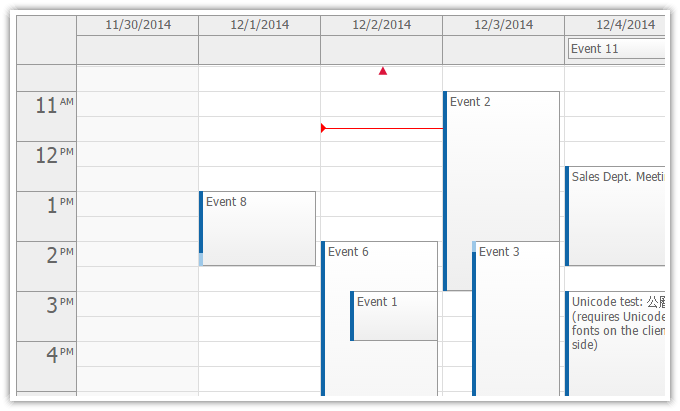
DayPilot Calendar is an AJAX event calendar with day/week views and customizable columns.
See Also
- Event Calendar for JavaScript [javascript.daypilot.org]
- Event Calendar for ASP.NET WebForms [www.daypilot.org]
Tutorials
- Quick Start: How to Show an Event Calendar in ASP.NET MVC 3 Razor
- Event Calendar for ASP.NET MVC 2 (C#, VB.NET. SQL Server)
- Event Calendar for ASP.NET MVC 3 Razor (C#, VB.NET, SQL Server)
- Event Calendar for ASP.NET MVC 4 Razor (C#,VB.NET, SQL Server)
- Event Calendar with Day/Week/Month Views (Razor, C#, VB.NET, SQL Server)
Features
Event Calendar Columns
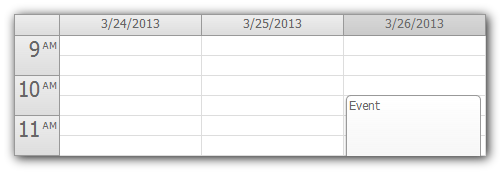
The X axis displays days or custom columns (resources, people, machines, locations). Three automatic modes are available:
- Day
- Work week
- Week
There are also two additional manual (flexible) modes:
- Days (displays custom number of days, 50+)
- Resources (custom columns; each with an associated resource ID)
Read more about event calendar columns and view types.
Time Headers (Y Axis)
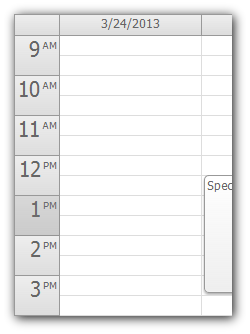
The Y axis can show up to 24 hours for each column.
- Custom day start and day hour is supported
- Overnight schedule (e.g. 6 AM - 5 AM the next day)
- Custom business hours
Read more about calendar time header.
Events and Drag and Drop
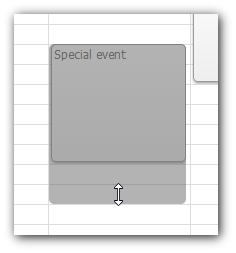
The event calendar supports drag and drop operations:
- event creating
- event moving
- event resizing
Events can be customized individually (CSS class, background color, HTML, active areas). You can disable selected actions depending on the user permissions.
More about events.
jQuery Event Calendar
You can use the built-in jQuery plugin to initialize the calendar control instead of using the Html helper. jQuery is not required.
<div id="dpc"></div>

<script type="text/javascript">
var dps = $("#dpc").daypilotCalendar({
  backendUrl: '<%= ResolveUrl("~/Calendar/Backend") %>',
  height: 300,
  heightSpec: "Max",
  timeRangeSelectedHandling: "CallBack",
  cssClassPrefix: "scheduler_green",
  eventHeight: 25,
  days: 7
});
</script>
More about event calendar jQuery plugin.
Full CSS Support
The scheduler can be fully styled using CSS.
Read more about calendar CSS.
CSS and Themes
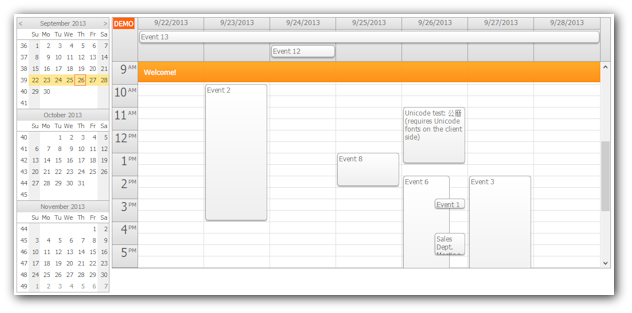
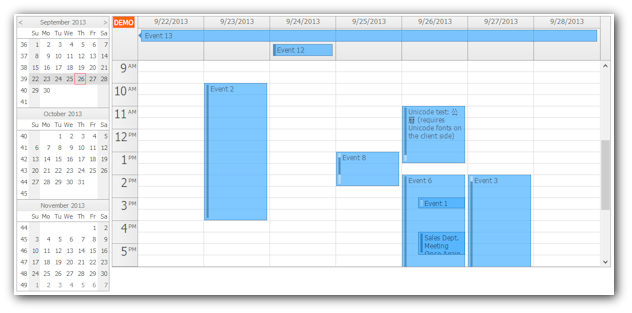
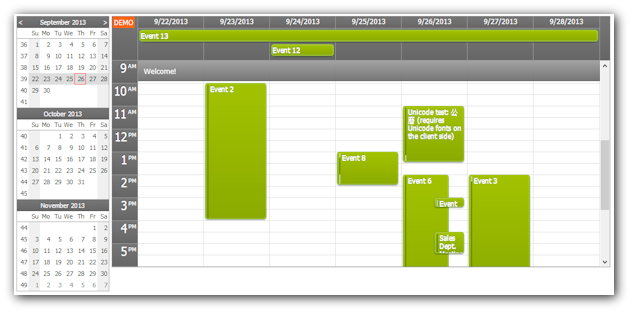
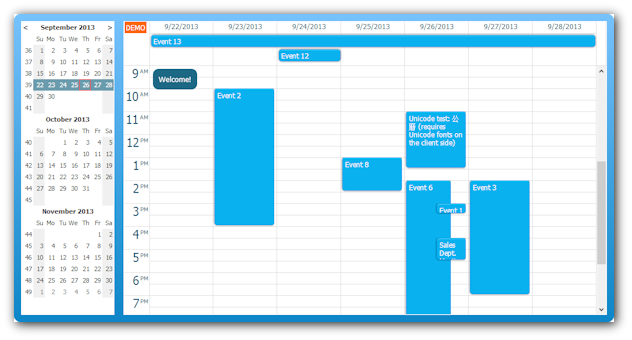
The event calendar comes with 4 standard CSS themes (calendar_white, calendar_green, calendar_transparent, calendar_blue). You can create your own theme using the online theme designer.
White CSS Theme
Transparent CSS Theme
Green CSS Theme
Blue CSS Theme
Integrated UI Controls
- Integrated message bar for showing custom messages.
- Context menu
- Bubble (extended tooltip) for quick showing event details.
- Active areas with user actions hints.
Read more about integrated calendar controls.
Mobile and Touch Devices Support
The event calendar supports mobile devices (tablets, smartphones) with iOS and Android.
Read more about mobile and touch devices support.
Calendar Customizations
All calendar elements can be customized (columns, events, background cells, time headers).
You can set custom CSS classes, HTML, action restrictions, active areas.
Localization
The calendar control will be translated and localized automatically using the current culture. The following properties are adjusted automatically:
- time format
- date format
- clock (12/24 hours)
- first day of week
- day names
- month names
Read more about localization.
Documentation
Server-Side API Reference
- DayPilotCalendar Class (Server-Side API Reference)
- DayPilotCalendarConfig Class (Server-Side API Reference)
Client-Side API Reference
- DayPilot.Calendar Class (Client-Side API Reference)
Quick Start
MVC View (Views/Calendar/Index.cshtml)
@using DayPilot.Web.Mvc.Events.Calendar;
@using DayPilot.Web.Mvc.Enums.Calendar;
<!DOCTYPE html>
<html>
<head>
    <title>Event Calendar for ASP.NET MVC</title>
    <script src="@Url.Content("~/Scripts/DayPilot/daypilot-all.min.js")" type="text/javascript"></script>
    <link href="@Url.Content("~/Themes/calendar_white.css")" rel="stylesheet" type="text/css" />
</head>
<body>
  @Html.DayPilotCalendar("dpc", new DayPilotCalendarConfig
  {
    BackendUrl = Url.Content("~/Calendar/Backend"),
    EventResizeHandling = EventResizeHandlingType.CallBack,
    EventMoveHandling = EventMoveHandlingType.CallBack,
    ViewType = ViewType.Day,
    CssOnly = true,
    CssClassPrefix = "calendar_white"
  })
</body>
</html>
MVC Controller (Controller/CalendarController.cs)
using System;
using System.Collections.Generic;
using System.Data;
using System.Linq;
using System.Web;
using System.Web.Mvc;
using DayPilot.Web.Mvc;
using DayPilot.Web.Mvc.Enums;
using DayPilot.Web.Mvc.Events.Calendar;

public class CalendarController : Controller
{

  //
  // GET: /Calendar/
  public ActionResult Index()
  {
      return View();
  }

  //
  // POST: /Calendar/Backend/

  public ActionResult Backend()
  {
      return new Dpc().CallBack(this);
  }


  class Dpc : DayPilotCalendar
  {
      protected override void OnInit(InitArgs e)
      {
          Update();
      }

      protected override void OnEventResize(EventResizeArgs e)
      {
          new EventManager().EventMove(e.Id, e.NewStart, e.NewEnd);
          Update();
      }

      protected override void OnEventMove(EventMoveArgs e)
      {
          new EventManager().EventMove(e.Id, e.NewStart, e.NewEnd);
          Update();
      }

      protected override void OnFinish()
      {
          if (UpdateType == CallBackUpdateType.None)
          {
              return;
          }

          Events = new EventManager().FilteredData(StartDate, StartDate.AddDays(Days)).AsEnumerable();

          DataIdField = "id";
          DataTextField = "name";
          DataStartField = "eventstart";
          DataEndField = "eventend";
      }
  }
}