 DayPilot
Release date: January 29, 2014 (build 7.7.5639)
CssOnly Mode Enabled by Default
You can switch to the legacy mode using CssOnly = false.
The support for the legacy mode will be phased out in the future.
To make the transition easier, you can use the Traditonal CSS Theme based on the default legacy look:
Default CSS Themes
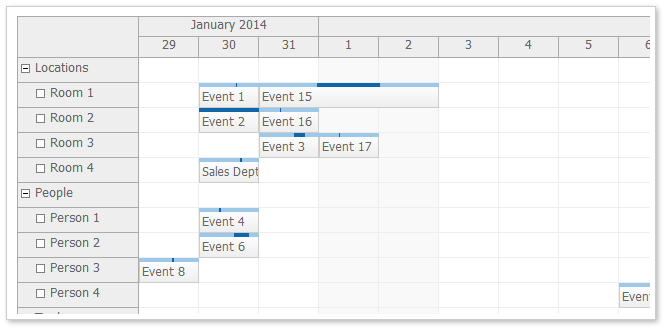
scheduler_default (DayPilot.Scheduler)
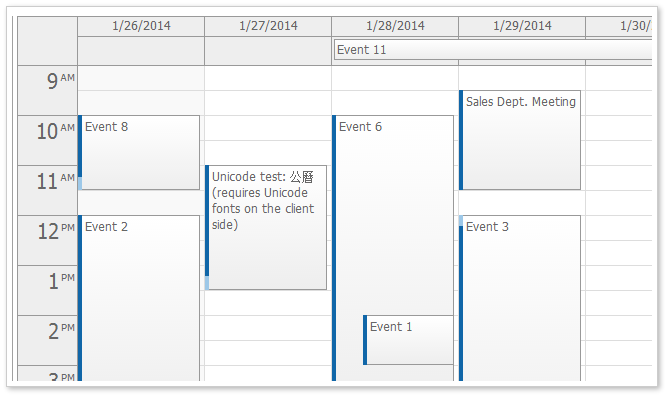
calendar_default (DayPilot.Calendar)
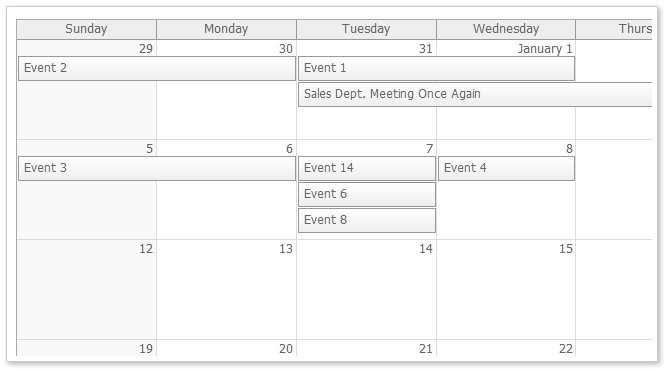
month_default (DayPilot.Month)
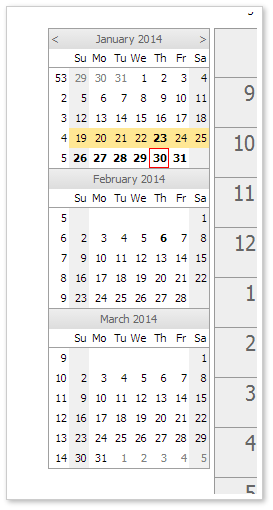
navigator_default (DayPilot.Navigator)
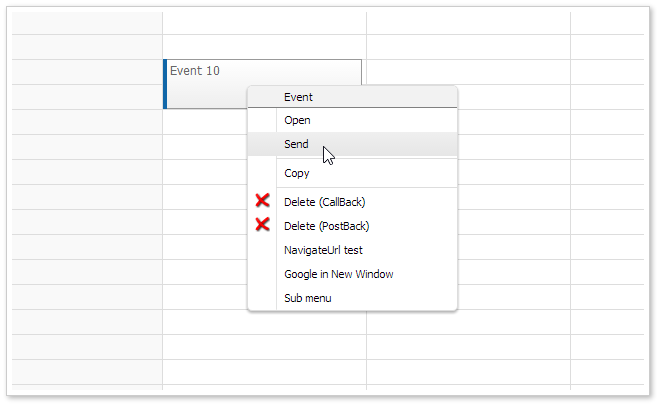
menu_default (DayPilot.Menu)
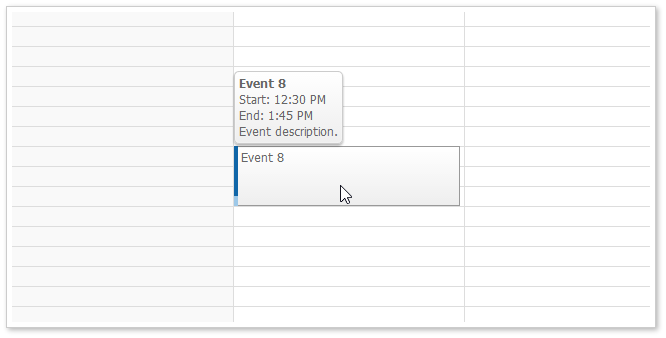
bubble_default (DayPilot.Bubble)
The date picker uses the navigator_default theme as it is based on the Navigator.
The default theme is now used as the starting configuration in the online theme designer.
New CSS Theme Inspired by Google Calendar
It is a very simple CSS theme that includes almost no styles. It uses rectangular corner and darker event border.
Daily/Weekly Event Calendar
Monthly Event Calendar
Traditional CSS Themes
These themes are based on the traditional DayPilot look (in !CssOnly mode). You can use them as a starting point when switching to CssOnly mode.
The themes were created using the online theme designer and tweaked a bit (the duration bar border in calendar and scheduler was added manually).
Scheduler (scheduler_traditional)
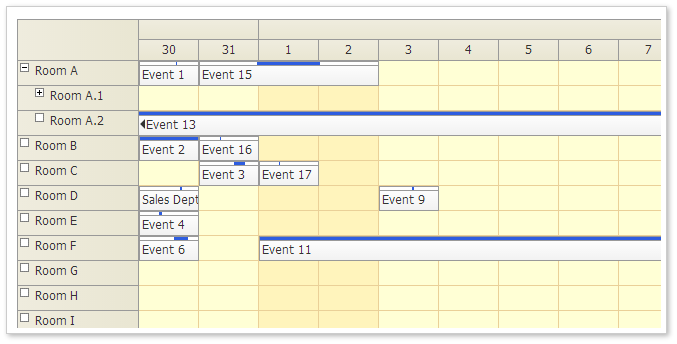
Demo: http://mvc.daypilot.org/demo/Scheduler/ThemeTraditional
Theme Designer: http://themes.daypilot.org/scheduler/theme/m3km5n
Calendar (calendar_traditional)
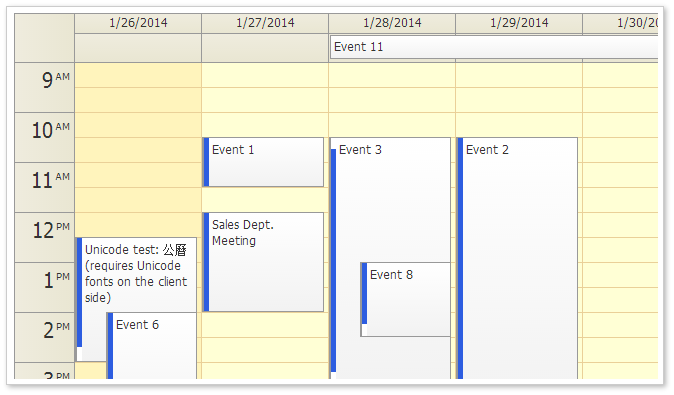
Demo: http://mvc.daypilot.org/demo/Calendar/ThemeTraditional
Theme Designer: http://themes.daypilot.org/calendar/theme/japngi
Month (month_traditional)
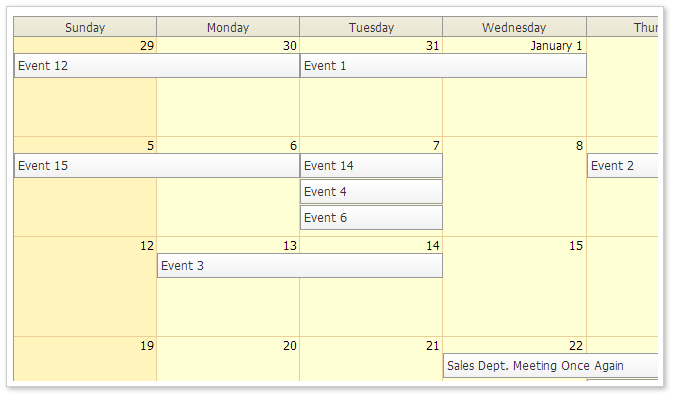
Demo: http://mvc.daypilot.org/demo/Month/ThemeTraditional
Theme Designer: http://themes.daypilot.org/month/theme/bn47e7
Auto Cell Width
Fixed Cell Width
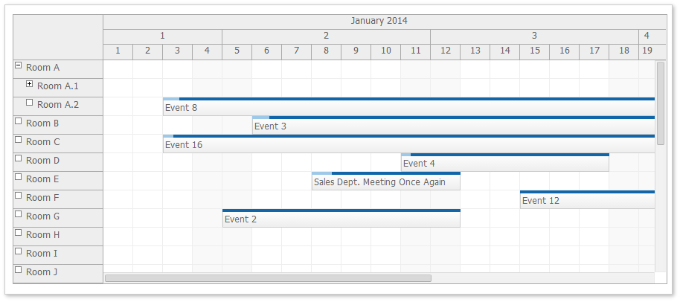
Auto Cell Width
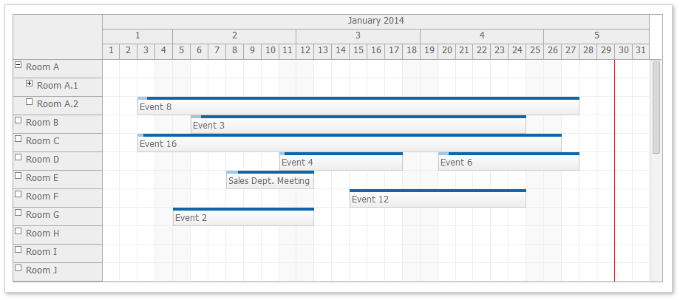
You can use CellWidthSpec="Auto" to adjust the cell width automatically so the full Scheduler width is used.
Behavior:
- The CellWidth property will be overwritten.
- The width will be recalculated when the browser window size is changed (window.onresize).
- No free space on the right
- No horizontal scrollbar
Demo: http://mvc.daypilot.org/demo/Scheduler/AutoCellWidth
Floating Events (Scheduler)
In the previous version long events were sometimes difficult to read because the text was hidden.
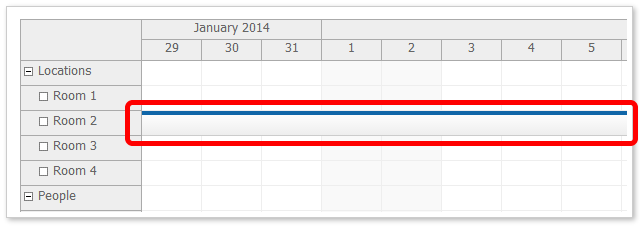
If the beginning of the event is not visible (for long events than span several days) it displays a special floating div over the event that displays the event HTML.
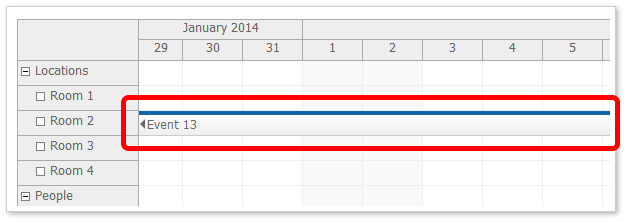
You can enable/disable it using FloatingEvents property. It is enabled by default. You can test in the main Scheduler demo page:
Floating Time Headers (Scheduler)
In the previous version long header cells were sometimes difficult to read because the text/HTML was hidden.
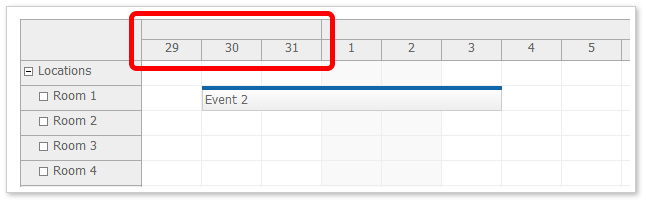
If the beginning of the header is not visible (for long headers, especially month and year time header groups) it displays a special floating div over the event that displays the event HTML.
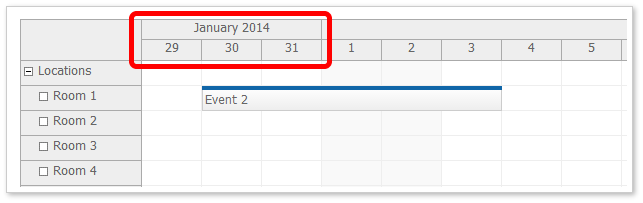
You can enable/disable the floating time headers using FloatingTimeHeaders property. It is enabled by default. You can test in the main Scheduler demo page:
Default MoveBy Handling Unified
Calendar, Month, and Scheduler now use MoveBy="Full" by default.
New Default Settings
Scheduler
- EventHeight = 25
- HeaderHeight = 20
- CellWidth = 40
- MoveBy = "Full"
Calendar
- AllDayEventHeight = 25
- HeaderHeight = 20
- MoveBy = "Full"
Month
- EventHeight = 25
- HeaderHeight = 20
Loading Selected Dimension Properties from CSS
You can specify selection dimension properties in the CSS. This is helpful if the CSS is designed to work with different than default dimension. It will soon be added to the online theme designer as well.
This CSS value will override the value specified using the calendar object.
Loading Scheduler Dimensions from CSS Theme
Event Height (.eventHeight property):
*_event_height { height: 25px; }Header Height (.headerHeight property):
*_header_height { height: 20px; }Replace the asterisk with the theme name.
Loading Event Calendar Dimensions from CSS Theme
All-Day Event Height (.eventHeight property):
*_alldayevent_height { height: 25px; }Header Height (.headerHeight property):
*_header_height { height: 20px; }Replace the asterisk with the theme name.
Loading Monthly Event Calendar Dimensions from CSS Theme
Event Height (.eventHeight property):
*_event_height { height: 25px; }Day Header Height (.headerHeight property):
*_header_height { height: 20px; }Replace the asterisk with the theme name.
Auto-Expanding Tree Nodes on Hover during Drag and Drop Moving (Scheduler)
When dragging an event over a row that has child nodes it is automatically expanded after a short delay.
Business Cell Marked with a Special CSS Class (Scheduler)
The business cells are marked with a special CSS class.
*_cell_business
It is applied at the same level as *_cell so you would define the business cell style like this:
.scheduler_default_cell.scheduler_default_cell_business {
  background-color: #fff;
}
This class is not applied when you use .drawBlankCells = true and don't handle .onBeforeCellRender event (for performance reasons).
Improvements
- Connection string removed. (build 5626)
- [Scheduler] Scheduler: .cells.all() added. (build 5626)
- [Scheduler] Scheduler: auto-expanding tree nodes during drag and drop. (build 5627)
- [Scheduler] Scheduler: dynamic event loading compares events using id, start, and resource. (build 5628)
- [Scheduler] Scheduler: text floating (events, time headers). Themes cleanup. (build 5631)
- [Month] Month: OnBeforeHeaderRender implemented. (build 5632)
- [Calendar] New themes, calendar demos updated. (build 5636)
- Themes updated. (build 5636)
- [Scheduler] Scheduler defaults: PreventParentUsage = false (build 5637)
- [Scheduler] Scheduler: CellWidthSpec (build 5638)
Fixes
- Remaining ResolveUrl commands fixed. (build 5626)
- [Calendar] Calendar: HeaderClickHandling and HeaderClickJavaScript fixed. (build 5629)
- [Calendar] New defaults: CssOnly = true, EventHeight = 25 (Month). CssClassPrefix -> Theme. Configuration themes removed (calendar, scheduler, month). (build 5633)
- [Scheduler] New defaults: CssOnly = true, EventHeight = 25 (Month). CssClassPrefix -> Theme. Configuration themes removed (calendar, scheduler, month). (build 5633)
- [Month] New defaults: CssOnly = true, EventHeight = 25 (Month). CssClassPrefix -> Theme. Configuration themes removed (calendar, scheduler, month). (build 5633)