 DayPilot
Release date: October 3, 2012 (build 5453)
Version numbering is now aligned with the ASP.NET WebForms edition (see also DayPilot Pro for ASP.NET WebForms 7.1).
Requirements
This version requires ASP.NET MVC 4 and .NET Framework 4.0 or higher.
Features
CSS Theme Designer (Scheduler)
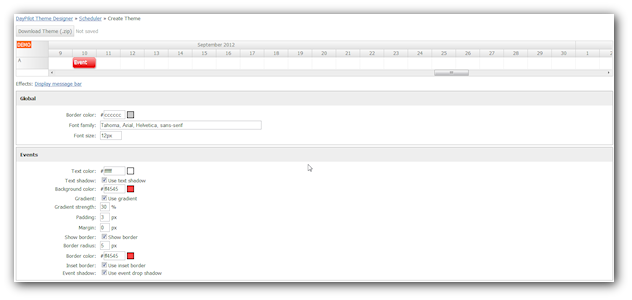
You can design your own CSS theme (for CssOnly mode) using an online WYSIWYG designer:
Active Areas for Events (Scheduler)
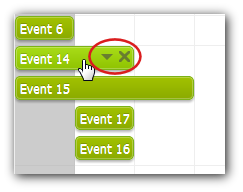
Custom active areas for events (OnBeforeEventRender/e.Areas).
Demo:
Active Areas for Resources (Scheduler)
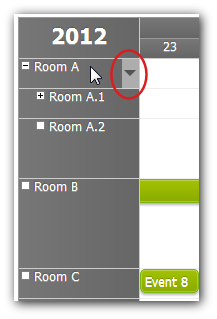
Custom active areas for resource headers (OnBeforeResHeaderRender/e.Areas).
Demo:
Active Areas for Events (Calendar)
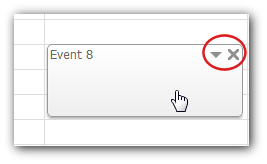
Demo:
Active Areas for Column Headers (Calendar)
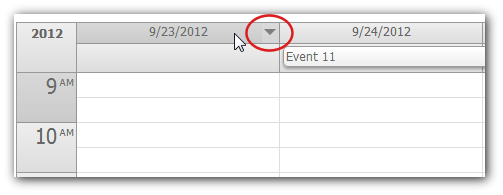
Demo:
Active Areas for Events (Month)
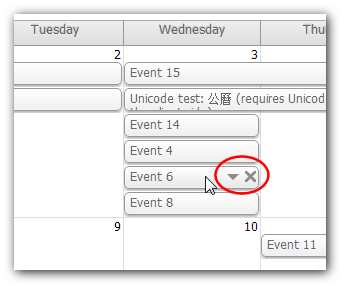
Demo:
Windows 8 Theme (Scheduler)
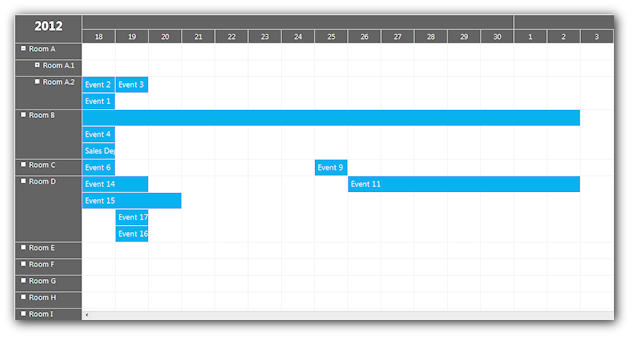
Demo:
Duration Bar in CssOnly Mode (Scheduler)
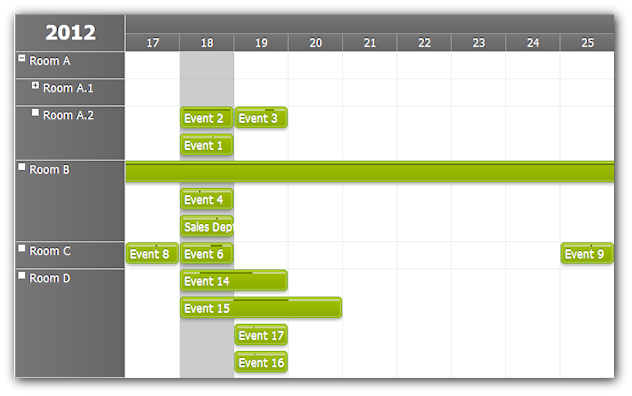
Demo:
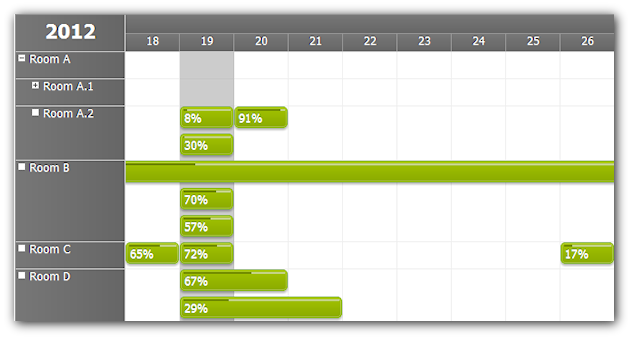
Percent Complete (Scheduler)
Demo:
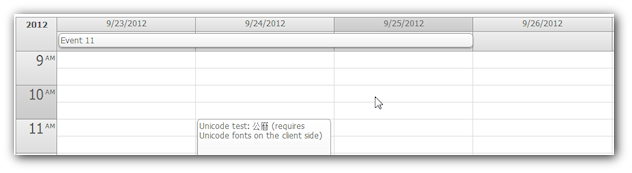
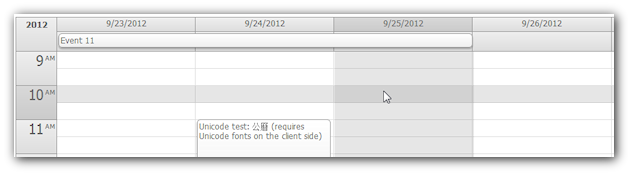
Crosshair (Calendar)
Crosshair = Header
Crosshair = Full
Demo:
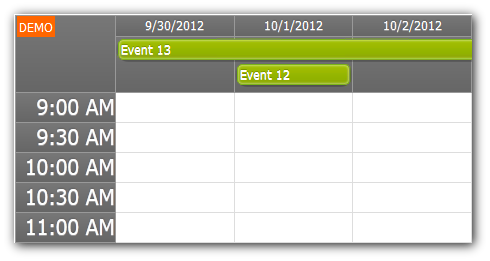
Time Header Cell Duration (Calendar)
Demo:
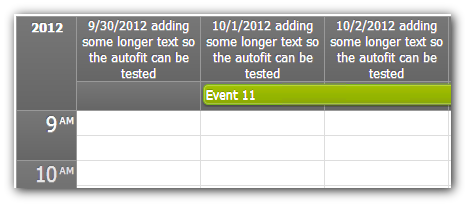
Header Height Auto-Fit (Calendar)
Demo:
System.Globalization.Calendar Support (Scheduler)
Example:
protected override void OnInit(InitArgs ea)
{
  DateTimeFormatInfo = new CultureInfo("ja-jp", false).DateTimeFormat;
  DateTimeFormatInfo.Calendar = new JapaneseCalendar();

  int year = Calendar.GetYear(DateTime.Today);
  StartDate = new DateTime(year, 1, 1, Calendar);
  Days = Calendar.GetDaysInYear(year);
}
Demo:
- http://mvc.daypilot.org/demo/Scheduler/Hebrew
- http://mvc.daypilot.org/demo/Scheduler/Hijri
- http://mvc.daypilot.org/demo/Scheduler/Japanese
- http://mvc.daypilot.org/demo/Scheduler/Korean
- http://mvc.daypilot.org/demo/Scheduler/Taiwan
- http://mvc.daypilot.org/demo/Scheduler/ThaiBuddhist
Implemented
- [Calendar] OnBeforeCellRender fixed (background color). Extended with InnerHtml, BackgroundImage, BackgroundRepeat, and Css. (build 5425)
- [Scheduler] OnBeforeCellRender extended with InnerHtml, BackgroundImage, BackgroundRepeat, and Css. (build 5425)
- [Calendar] Crosshair implemented. (build 5430)
- Switching to ASP.NET MVC 4 and .NET Framework 4.0 (build 5431)
- Visual Studio 2012 solution included. (build 5431)
- [Calendar] Crosshair fixed in CssOnly=false. (build 5432)
- [Calendar] OnBeforeEventRender/e.FontColor fixed. (build 5432)
- [Calendar] TimeHeaderCellDuration implemented. (build 5435)
- [Scheduler] Multiline time header fixed. (build 5445)
- [Scheduler] Dirty background colors fixed. (build 5445)
- [Calendar] HideUntilInit property added. (build 5446)
- [Month] HideUntilInit property added. (build 5446)
- [Scheduler] HideUntilInit property added. (build 5446)
- [Calendar] EventHoverHandling added. (build 5447)
- [Calendar] Active areas for events (OnBeforeEventRender/e.Areas). (build 5447)
- [Scheduler] Active areas for events (OnBeforeEventRender/e.Areas). (build 5447)
- [Scheduler] Active areas for row headers (OnBeforeResHeaderRender/e.Areas). (build 5447)
- [Month] Active areas for events (OnBeforeEventRender/e.Areas). (build 5447)
- [Calendar] Active areas for column headers (OnBeforeHeaderRender/e.Areas). (build 5447)
- [Calendar] HeaderHeightAutoFit implemented. (build 5448)
- [Scheduler] System.Globalization.Calendar (DateTimeFormatInfo) support added (Hebrew, Hijri, Japanese, Korean, Taiwan, ThaiBuddhist). (build 5451)
- [Scheduler] Message helper div was masking the first resource. (build 5452)
- [Month] Blue theme header background fixed. (build 5452)
- [Demo] Message bar less transparent (themes). (build 5452)
- RecurrenceRule.Prefix() added. (build 5452)
- RecurrenceRule.DecodeStart() added. (build 5452)
- [Scheduler] Theme 8 added. (build 5452)
- [Scheduler] Message bar width fixed. (build 5452)
- [Scheduler] e.BackgroundColor enabled in CssOnly mode. (build 5452)
- [Month] Fixed: Writing custom HTML to cells caused an error: "HIERARCHY_REQUEST_ERR: DOM Exception 3". (build 5452)
- [Scheduler] Duration bar support added to CssOnly mode. (build 5452)
- [Scheduler] OnBeforeEventRender: e.BackgroundImage, e.BackgroundRepeat, e.BorderColor supported in CssOnly mode. (build 5452)
- [Scheduler] The default value of DurationBarVisible is false for CssOnly mode. (build 5452)
- [Calendar] Event moving activated after dragging the event for at least 3 pixels. (build 5452)
- [Month] Cell mode fixed (events were not showing up). (build 5452)
- ConflictDetector extended (API, recurring events). (build 5452)
- [Calendar] this.nav.mid.style.height error fixed. (build 5452)
- [Month] Preventing timeRangeSelected event on event click in cell stacking mode. (build 5452)
- [Scheduler] DurationBarMode = "PercentComplete" implemented. (build 5452)
- [Calendar] BeforeEventRender: e.BackgroundColor, e.BackgroundImage, e.BackgroundRepeat, and e.BorderColor supported in CssOnly mode. (build 5452)
- [Scheduler] BeforeCellRender: e.BackgroundColor, e.BackgroundImage, e.BackgroundRepeat supported in CssOnly mode. (build 5452)
- [Scheduler] .prefix_cellparent class always added to parent resource cells. (build 5452)
- [Scheduler] .scrollToResource() added (client-side). (build 5452)
- [Scheduler] row.events.push(ep) error fixed (dynamic loading). (build 5452)
- [Calendar] Hover fixed for all-day events. (build 5452)